Google review links
How to get Google review links for multiple locations
Each Business Profile has its own review link. Here's how many profiles a home-service company can have, and which link to send.
No card needed, First reviews in 48hr, 15-min setup call

Each location on Google has its own reviews, so with multiple locations you need one review link per location. Copy each from its Business Profile. Or search each location in our free Google review link generator. With one base, Google allows only one profile for your whole service area (Google's help page on service areas). So you have one link.
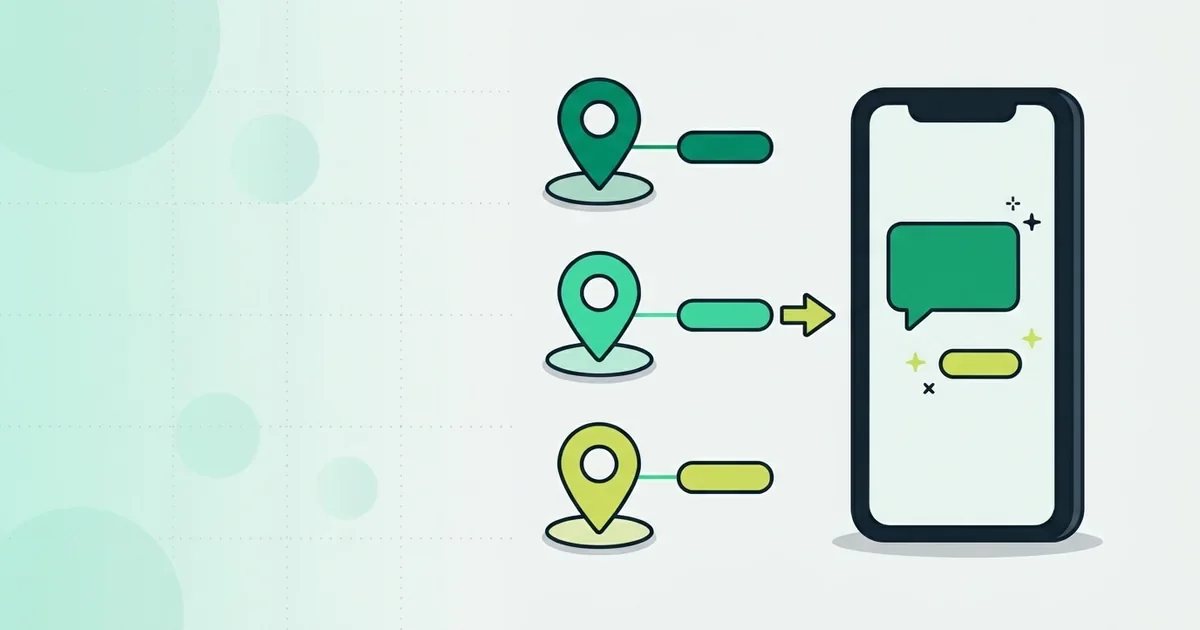
How many Google profiles a home-service company can have
You get one review link per Business Profile, so start with how many profiles Google allows you. If your business has no storefront with clear signs and travels to customers, Google allows one service-area profile (Google's guidelines).
| Your setup | What Google says | Review links |
|---|---|---|
| One base, and you go to customers in many towns | One service-area profile for the whole area you serve. You can set up to 20 service areas by city, ZIP code or other area. Your overall area shouldn't reach more than about 2 hours' drive from your base. | One |
| Two or more locations, each serving its own area | One profile for each location, with "separate service areas and separate staff at each location" | One per location |
| A mailing address you rent in another town, but don't work from | That location can't have a Business Profile. Google calls it a virtual office. | None there |
| The same location listed twice | Don't make more than one profile for each location, in one account or several | One |
From Google's guidelines and its help page on service areas, checked on November 18, 2026. Google says a larger area may fit some businesses. The last column is our reading: one profile, one link.
Each location has its own reviews and its own link
A location's review score averages all ratings published on Google for that place (Google's help page on review scores). So one location's reviews don't count toward another location's score.
Google tells places apart with a Place ID. It's a code that identifies one place on Google Maps (Google's page on Place IDs). Our free link generator builds each link from that code. Each location on Google Maps has its own Place ID, so each one gets its own link. The link opens the review box of that one listing.
Make a review link for each location
You get each location's link the same way you'd get the review link for your business. You just do it once for each profile.
List your profiles.
Write down each location that has its own Business Profile. Count the towns you serve from one base as one location.
Copy each profile's link.
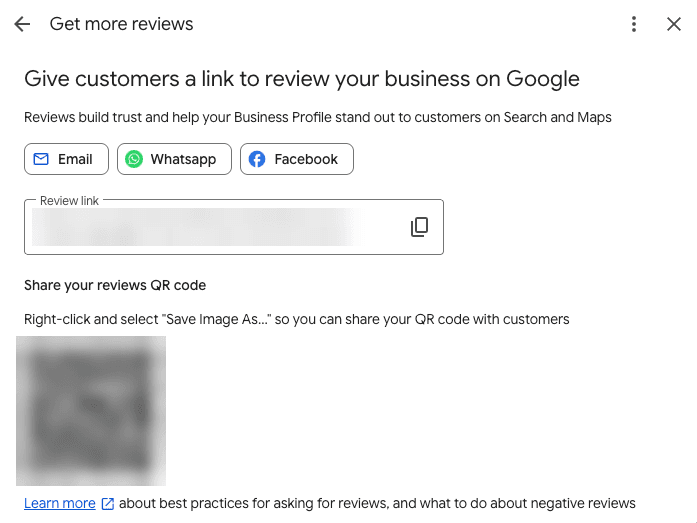
Go to that location's Business Profile. Select Read Reviews, then Get more reviews, then Copy (Google's help page on review links). Then open the next profile on its own and do the same.
Or make each link from its name.
Search for the first location in our link generator. If it doesn't show up, add the city to the name. Copy its link, press Start over, then search for the next one. Every link it makes is a Google Maps link to your reviews.
Label each link with its town.
Google says all your locations in one country must have the same name, with few exceptions (Google's guidelines). So the name won't tell your links apart. Keep a short list of each town and its link, like this: Springfield: paste its link here. Riverside: paste its link here.
Tap each link on your own phone.
Do it before any customer gets it. Close it without posting a review.
Send each customer the link for the location that did the job
We'd send each customer the review link of the location that did the job. Google's review policy: "Only post content that is based on your experience or questions about experiences at a specific location." With that location's link, the review goes on the profile it's about.
That location is usually the one closest to the job address. If you send the link by hand, check which location did the job before you paste it. A short list of each town and its link makes that quick.
Then share the link with customers, the same way you would with one location. Put it in the text after the job, on the invoice or in the thank-you email. Send each link as you copied it. You don't need a short review link for each location.
What happens to a location's reviews when it moves or closes
When a location gets a new address and keeps its name, Google moves its reviews over automatically. When it closes, its reviews stay on its profile (Google's page on moving reviews).
| What happens | What Google's page says about the reviews |
|---|---|
| You move to a new address and keep the same name | Google moves your reviews over automatically. Don't make a new profile because you moved. |
| A new profile was made and verified by mistake after a move or a change of owner | Contact Google to move the reviews from the old profile to the new one. |
| A small name change, or a new name for a business with several locations | The reviews stay. |
| A location closes, for a while or for good | The reviews stay on its profile. |
| Two locations that both stay open | The page gives no way to combine their reviews. |
From Google's page on moving reviews, checked on November 18, 2026. Google names a few kinds of places, like hotels, where reviews might not move automatically. The last row is what the page leaves out, not a Google rule.
After a move, make that location's link again and tap it on your phone. Our link generator builds its links from each location's Place ID. Google says a Place ID may change over time. It can go out of date if a business closes or moves (Google's page on Place IDs).
For developers, Google also recommends refreshing stored Place IDs that are more than 12 months old. So we'd make each location's link again once a year. If a printed QR code holds an old link, make a new code too.
We can text each customer the closest listing's link
We can text each customer the review link of your listing closest to their job address. It's switched on for your company during setup, if you have more than one listing. A second listing costs more, so talk to us for the price.
When a job is marked done in your CRM, we text that customer. The text has a photo of someone on your team holding a whiteboard with the customer's name. It also carries the review link. We ask every customer the same way.
Setup is one 15-minute call. Once your CRM is connected, the texts start. On average, the first new Google reviews come in about 48 hours after that. See how it works.
I built ReviewsOS for my own insulation company first. These are our own numbers, not figures from an outside study.
About 30% of new customers typically post a review
Over 50% at some companies
35 Google reviews in 14 days, from past customers, on my own company's first run
Questions about review links for more than one location
Can two locations share one set of Google reviews?
Google's page on moving reviews gives no way to combine the reviews of two locations that both stay open. It covers a move, a profile made by mistake, a name change and a closing. So each open location keeps its own reviews, and each one gets its own link.
Can I use one QR code for all my locations?
Make a separate code for each location. Each location has its own listing on Google, so each one gets its own code. For now, Google's own review QR code can only be made on a computer (Google's help page on review links). Our free QR code generator for Google reviews makes the code and a letter-size sign to print. It works one location at a time. Put a QR code for each location on that location's invoices and leave-behind cards.
Can I make a location's link without signing in to its profile?
Yes, if the location has a listing on Google Maps. Our free link generator finds it by name, and you don't need to sign in to the listing. So someone in your office can make every location's link.
Can one customer review two of my locations?
Yes, if each of those locations did a job for them. Google's review policy asks that each review reflect a real experience at the place it's about. It also lists posting the same content many times, from one account or several, as repetitive content.
Why can't my customer post a review on Google Maps?
Customers must be signed in to a Google Account to leave a review. They can set one up with an email address that isn't Gmail (Google's tips to get more reviews). Reviews can't be anonymous (Google Maps Help on reviews). Reviews are open only in certain countries or regions, and for certain kinds of business (Google's page on managing reviews). If it's none of those, tap the link on your own phone to check it.
Sources
- Create a Google link or QR code to request reviews, Google Business Profile Help, read November 18, 2026
- Guidelines for representing your business on Google, Google Business Profile Help, read November 18, 2026
- Manage your service areas for service-area & hybrid businesses, Google Business Profile Help, read November 18, 2026
- Move your reviews across Business Profiles, Google Business Profile Help, read November 18, 2026
- Understand review scores for local places & businesses, Google Business Profile Help, read November 18, 2026
- Prohibited & restricted content (Maps User Generated Content Policy), Google, read November 18, 2026
- Tips to get more reviews, Google Business Profile Help, read November 18, 2026
- Manage customer reviews, Google Business Profile Help, read November 18, 2026
- Add, edit, or delete Google Maps reviews & ratings, Google Maps Help, read November 18, 2026
- Place IDs, Google Maps Platform documentation, read November 18, 2026
We’ll get you 10 Google reviews for free to prove it works.
We start with the customers you've already served.
No card needed, First reviews in 48hr, 15-min setup call
Or see it first: get the text your customers will get.